


10TV WBNS Columbus, Ohio
4.21.48K Reviews
App Specs
- Version
- 50.23.2
- Updated On
- License
- Free
- Downloads
- 100,000+
- Developer
- TEGNA
- Categories
- News & Magazines
- Platform
- Android
Screenshots

 Analysis by AppCompare
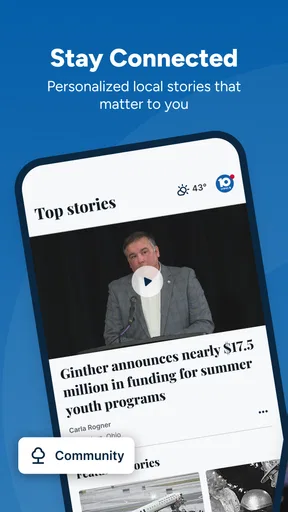
When I want a quick read on what is happening around Columbus, Ohio, I usually do not want to open several national news apps and dig through stories that have little to do with my day. 10TV WBNS Columbus, Ohio is built around a more focused need: local news, live video and weather in one place. I found that focus useful when I needed a fast sense of road conditions, developing events, or the forecast before leaving home.
This is a free News & Magazines app from TEGNA, and its straightforward purpose is also its main appeal. It is not trying to replace every source of national reporting or become a full social network. Instead, it gives Columbus-area users a direct way to follow the local station’s coverage. The app has an average rating of 4.2 from around 5.5 thousand ratings, with roughly 1.5 thousand written reviews, and it has passed 100 thousand installs. Those figures suggest a reasonably established audience without making the app feel like a universal news destination.
From a local concern to a useful answer
The most realistic way to use this app starts with a specific question. I might wake up wondering whether bad weather will affect the morning commute, hear about an incident nearby, or want to check a developing story while away from a television. In that situation, a local station app is often more efficient than searching the wider web because the starting point is already regional.
I open the app, look for the most relevant current coverage, and then decide whether a headline is enough or whether I need video and more context. That sequence matters. A headline can confirm that something is happening, while a live or recorded video segment may explain where it is, how serious it appears, and what viewers should watch next. The useful outcome is not simply consuming another story; it is making a small decision with better local context.
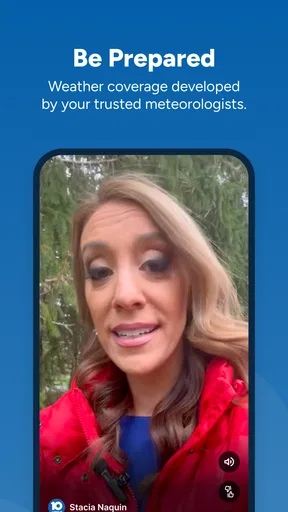
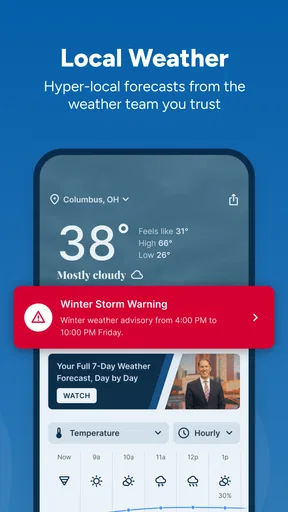
Weather is another natural entry point. If I am deciding whether to delay an errand, change a route, or carry rain gear, having news and weather together removes a handoff between separate apps. That does not mean I would treat one screen as the only source during a serious emergency. For routine planning, though, the local focus makes the information easier to reach.
What the first few minutes feel like
The app’s identity is clear from the beginning: it is the mobile home of 10TV WBNS rather than a broad aggregator. That distinction helps set expectations. I am not opening it to compare dozens of publishers or build a custom reading list from around the world. I am opening it to see what the Columbus station is emphasizing now.
My preferred first pass is quick and selective. I scan the current headlines, choose one story that affects my immediate plans, and then check the weather portion before closing the app. This is a better workflow than endlessly scrolling because local news can become repetitive when several updates concern the same event. Reading the newest useful item and then moving on keeps the app practical.
Worth Reading Before You Choose

EA SPORTS FC Mobile 26 Is a Bigger Football Game, but It Takes Time

Flipboard Shows What News Apps Must Do Beyond the Feed

Switching to Android Auto Means Rethinking Your Driving Routine

Google Calendar Makes a Crowded Week Easier to Manage

Ludo King Makes the Most of the Minutes Between Plans

Baby Panda World Brings Quick Play to Modern Phones, but Its Game Library Feels Busy
A helpful habit is to separate information gathering from confirmation. If a story concerns traffic, school schedules, severe weather, or a public safety situation, I use the app to understand the local report first, then look for the latest official instruction when the decision carries real consequences. That is not a criticism of this particular app; it is simply the sensible way to use any news source during a fast-changing event.
Following a story instead of stopping at the headline
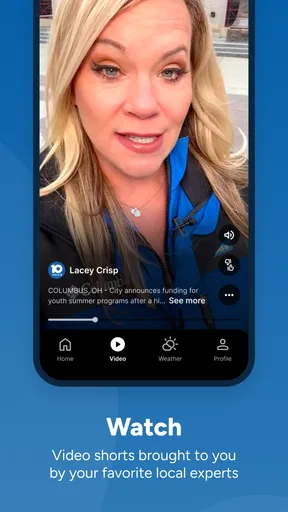
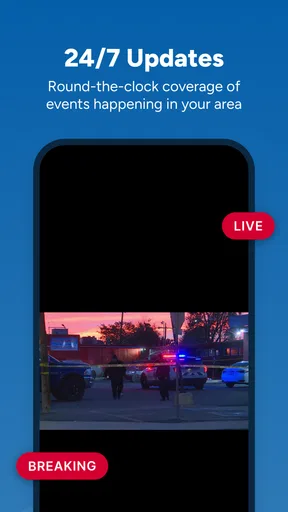
The live video element changes the workflow from reading to watching. When a written headline feels too brief, video can provide the station’s presentation and a clearer sense of what is developing. I find this especially useful when the subject depends on location, timing, or visual evidence. A short written item may tell me that something happened, while a video report can make the situation easier to understand.
There is a trade-off, however. Watching video takes more time and usually demands a steadier connection than scanning text. If I am standing in a checkout line or trying to preserve mobile data, a headline-first approach is more sensible. If I am at home and want a fuller update, video becomes the stronger part of the experience. The app works best when I choose the format based on the situation instead of treating every story the same way.
I also avoid assuming that the first update is the final one. Local breaking news often changes as officials release more information. My workflow is to note the time and practical detail of the report, then revisit the story later if it affects my plans. That small step prevents an early update from becoming an outdated decision.
The handoffs between news, weather and real life
The most valuable handoff is from a local story to an action. I may read about a weather system, move to the forecast, and then decide whether to leave earlier. Or I may see a report about a road problem, check the broader conditions, and choose another route. Keeping those related needs in one station-focused app is more convenient than jumping between a national news service, a dedicated weather tool and a search engine.
Still, the handoff is not seamless in every situation. A news report and a weather forecast answer different questions. News gives context and local reporting; weather information helps with conditions and timing. I would not use a news story as a substitute for a detailed forecast when planning outdoor work, travel or an event. The app is strongest as a quick local briefing, not as a specialized planning instrument for every possible need.
There is also a handoff from the app to people around me. If I find something relevant to family members, coworkers or neighbors, I summarize the practical point rather than simply telling them to download it. A station app is useful when everyone involved is in its coverage area, but a person outside Columbus may need a different local source. That geographic focus is a strength for residents and a limitation for travelers.
Where it fits beside other news choices
Compared with a national news app, 10TV WBNS feels more immediately relevant when the question is local. National services are better for broad political, business, international and national coverage, while this app gives Columbus-area reporting a more prominent role. I would use both if I wanted a complete news routine: the local app for nearby developments and a broader service for everything beyond the region.
Compared with a dedicated weather app, this one is more convenient when weather is part of a wider local update. A specialized weather product may be preferable when I need extensive forecast tools, detailed maps or repeated condition checks throughout the day. The station app makes more sense when I want the forecast alongside local reporting rather than weather as the entire purpose of the session.
Compared with visiting a station website in a mobile browser, an app can feel more direct because it is designed as a recurring destination. I do not need to begin with a search or remember which page contains the latest local report. The advantage is modest but useful: a dedicated app reduces the number of steps between opening the phone and checking the station’s current coverage.
Compared with social media, the app offers a more deliberate path to information. Social feeds can surface local events quickly, but they also mix firsthand claims, commentary and unrelated posts. I prefer using this app when I want a station-centered report rather than a stream shaped by conversations and reactions. Social media may still alert me first, but I would rather use a local newsroom’s coverage to understand the situation.
Everyday workflows that make sense
For a weekday morning, I would open the app before leaving, scan the main local stories, check the weather, and decide whether anything changes my route or timing. The important detail is restraint: I do not need to read everything. A few minutes of targeted checking gives me a local snapshot without turning the morning into a long news session.
During a developing weather situation, I would use the app in stages. First, I would look for the local report. Next, I would watch video if the written update left important questions unanswered. Then I would check the weather information again before making a decision. If the situation became urgent, I would give priority to official instructions and direct alerts. This workflow uses the app for context while avoiding the mistake of treating a single report as a complete emergency system.
For someone who has moved away from Columbus but still follows the area, the app can serve as a convenient connection to local coverage. It may be useful for keeping up with community developments or checking conditions before visiting family. The value is less obvious for a person who has no connection to the region, because the app’s local emphasis is precisely what makes it useful to its intended audience.
For a household, one person could use it as a morning briefing while another checks a separate source for detailed weather planning. That division works well because it avoids forcing one app to do every job. I would recommend treating 10TV WBNS as the local news layer in a small information routine, not necessarily the only app installed for news and weather.
Practical friction before relying on it
The first limitation is scope. A Columbus-focused station app cannot provide the same breadth as a national news reader, and that is not a flaw to hide. If my main interests are international headlines, financial markets, technology or national politics, I would look elsewhere first. The app earns its place when local relevance matters more than maximum breadth.
The second limitation is attention. Live video can be more informative than a headline, but it can also turn a quick check into a longer viewing session. I have to decide whether I need the full report or only the immediate fact. On a limited connection or during a busy commute, text is the more practical choice.
Another point is that breaking coverage can evolve. A local station may update a story as facts become available, so I would not make a serious decision based on an old screen left open for a long time. Refreshing the relevant coverage and checking the newest context is a simple but important habit. This is especially true for weather and incidents where conditions can change quickly.
The age rating is Everyone 10+, which places the app within a generally approachable range while recognizing that news can include subjects better suited to older children. I would still use personal judgment with younger family members because breaking news may involve upsetting events even when the app itself is broadly accessible.
What the app’s history and current build suggest
10TV WBNS dates back to March 14, 2014, so this is not a brand-new experiment. Its current version is 50.21.0, which indicates an app that has gone through substantial iteration over time. The minimum operating-system requirement is 7.1, making it suitable for many older devices, although actual performance will naturally depend on the phone and its connection.
I appreciate that the app remains free because local news is most useful when it is easy for the intended community to reach. There is no purchase decision standing between a user and a basic local update. That makes it practical for occasional users as well as people who check the station every day.
The developer, TEGNA, also helps explain the app’s station-centered character. It feels tied to a local broadcast operation rather than designed as an independent, all-purpose news database. That connection is beneficial when I want the station’s reporting style and regional priorities. It is less beneficial if I want to combine many publishers into one neutral-looking stream.
Who should install it, and who should pass
I would recommend it to Columbus residents who want a fast local briefing, people who regularly follow 10TV WBNS, and anyone who likes having news, live coverage and weather close together. It is also a sensible choice for users who prefer a familiar local station over a constantly changing collection of online sources.
I would be more cautious about recommending it to someone outside the area, someone seeking deep national coverage, or a user who needs advanced weather analysis as the primary function. Those readers would probably get more value from a broader news app or a dedicated weather service. Installing this one only makes sense if its Columbus focus matches the user’s actual needs.
I would also skip making it the sole source for urgent decisions. The app can help me understand a developing situation, but I still want official directions and current alerts when safety is involved. Its role is best described as a convenient local reporting layer that supports judgment rather than replacing it.
My final take after using the full workflow
What I like most about 10TV WBNS Columbus, Ohio is the clean logic of its use: start with a local question, scan the station’s coverage, move to video when more explanation is needed, check weather when conditions affect the decision, and then return to real life with a better-informed plan. That workflow is more valuable than the short store summary suggests because the pieces support one another.
Its weaknesses are equally clear. The local focus limits its usefulness outside Columbus, video is not always the quickest format, and serious situations still require attention to official instructions and current updates. I would not choose it as my only news source or as a replacement for a specialized weather app.
Even with those boundaries, I think it is a worthwhile free download for the right audience. The established rating, broad install base and continued version updates fit an app that has become a practical mobile extension of a local news station. If your daily decisions depend on what is happening around Columbus, this app is most useful as a quick, focused starting point rather than an all-purpose news replacement.
Pros
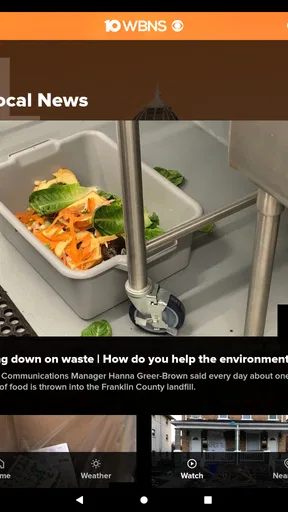
- Provides local Columbus news
- weather
- and traffic updates in one app.
- Live newscasts help users follow developing stories as they happen.
- Weather forecasts include radar and alerts for changing conditions.
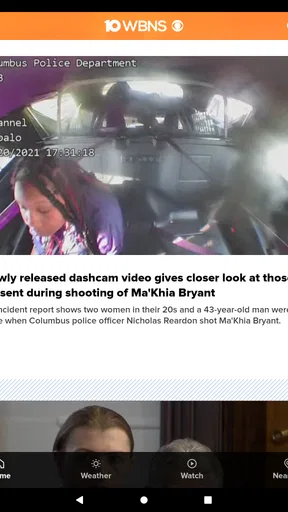
- Video reports make major local stories quick and easy to understand.
- Covers Ohio State and regional sports for local fans.
Cons
- Some content may require a stable internet connection to load smoothly.
- Breaking-news notifications can feel frequent if many alerts are enabled.
- Coverage is focused on central Ohio and may feel limited elsewhere.
- Advertising can interrupt browsing and video viewing.
- Some videos may be unavailable outside the station’s broadcast area.
FAQs for 10TV WBNS Columbus, Ohio
What is the 10TV WBNS Columbus, Ohio app used for?
The 10TV WBNS Columbus, Ohio app is designed to keep users informed about local news, breaking stories, weather conditions, traffic updates, and community events in and around Columbus. After exploring the app, its main strength is the convenient combination of written reports, video coverage, live updates, and weather information in one place, making it useful for staying connected throughout the day.
Does the 10TV WBNS app provide live news and local video coverage?
Yes, the app generally includes live news coverage, news clips, interviews, and video reports from the 10TV newsroom. Availability can depend on the broadcast schedule, your location, and the type of event being covered. Users should also remember that streaming video may consume considerable mobile data, so a reliable Wi-Fi connection is recommended when watching extended live coverage.
Can I receive breaking news, weather, and traffic alerts from 10TV WBNS?
The app supports notifications for important local developments, including breaking news, severe weather, school or community updates, and traffic-related information. During setup, you can usually choose whether to allow notifications. Enabling them is helpful during storms or major events, although users who prefer fewer interruptions may want to adjust individual alert categories in the app or device settings.
Does the 10TV WBNS app include weather forecasts for Columbus and surrounding areas?
Weather is one of the app’s most useful features, with access to current conditions, short-term forecasts, radar imagery, and severe-weather information for Columbus and nearby communities. Forecast tools can be especially valuable during changing Ohio weather. However, conditions can develop quickly, so the app should complement official emergency instructions rather than replace warnings from local authorities.
Is the 10TV WBNS Columbus app free to download and use?
The 10TV WBNS app is generally free to download and provides access to news articles, weather information, alerts, and selected video content without a standard subscription. Some features may require an internet connection, and mobile data charges can apply when using cellular networks. Advertising may also appear, as is common with free local-news applications on Android and iOS.


